How Secure Is Your Business, Really?
Find your vulnerabilities before someone else does.
A free scan of your online store, website, apps, APIs, code and cloud, with clear guidance on what to fix first. No security expertise required.

Trusted by teams at

You Can't Fix a Vulnerability You Don't Know About
Every website, API, library and cloud service adds to your attack surface. Common entry points include:
The question isn't whether these risks exist. It's whether you know where they are.
From "Are We Secure?" to "Here Is What We Need to Fix."
A raw scan gives you a list. Skono gives you what each finding means, where it is, and what to fix first.
Raw Scanner Output
CVE-2023-44487CVSS 7.5CVE-2021-44228CVSS 10.0Missing header: Content-Security-PolicyTLS 1.0 enabledServer version disclosed
…and the rest of the list
A Skono Finding
Fix firstWhat was found
Your web server is vulnerable to HTTP/2 Rapid Reset (CVE-2023-44487).Where it exists
api.yourcompany.com, port 443Why it matters
An attacker can overload the server and take your API offline.Priority
High — publicly reachable and actively exploited in the wild.How to fix it
Update nginx to version 1.25.3 or later. Tyrian AI first helps you check how nginx was installed on your server, then walks you through the update one step at a time.Or let Skono fix it
With autofix, Skono applies the update for you — only after you approve it.
Illustrative example based on public CVEs. Your free scan shows the same breakdown for your own systems.
Start With a Free Cybersecurity Vulnerability Scan
Your first security assessment, with no long-term commitment. Here is what happens.
Discover
Identify vulnerabilities and potential security risks across your attack surface.
Understand
See what each vulnerability means, why it matters and what could happen if it remains unresolved.
Prioritize
Focus on the issues that deserve attention first instead of trying to fix everything at once.
Remediate
Follow step-by-step guidance from Tyrian, written for your setup, or let autofix apply the change once you approve it.
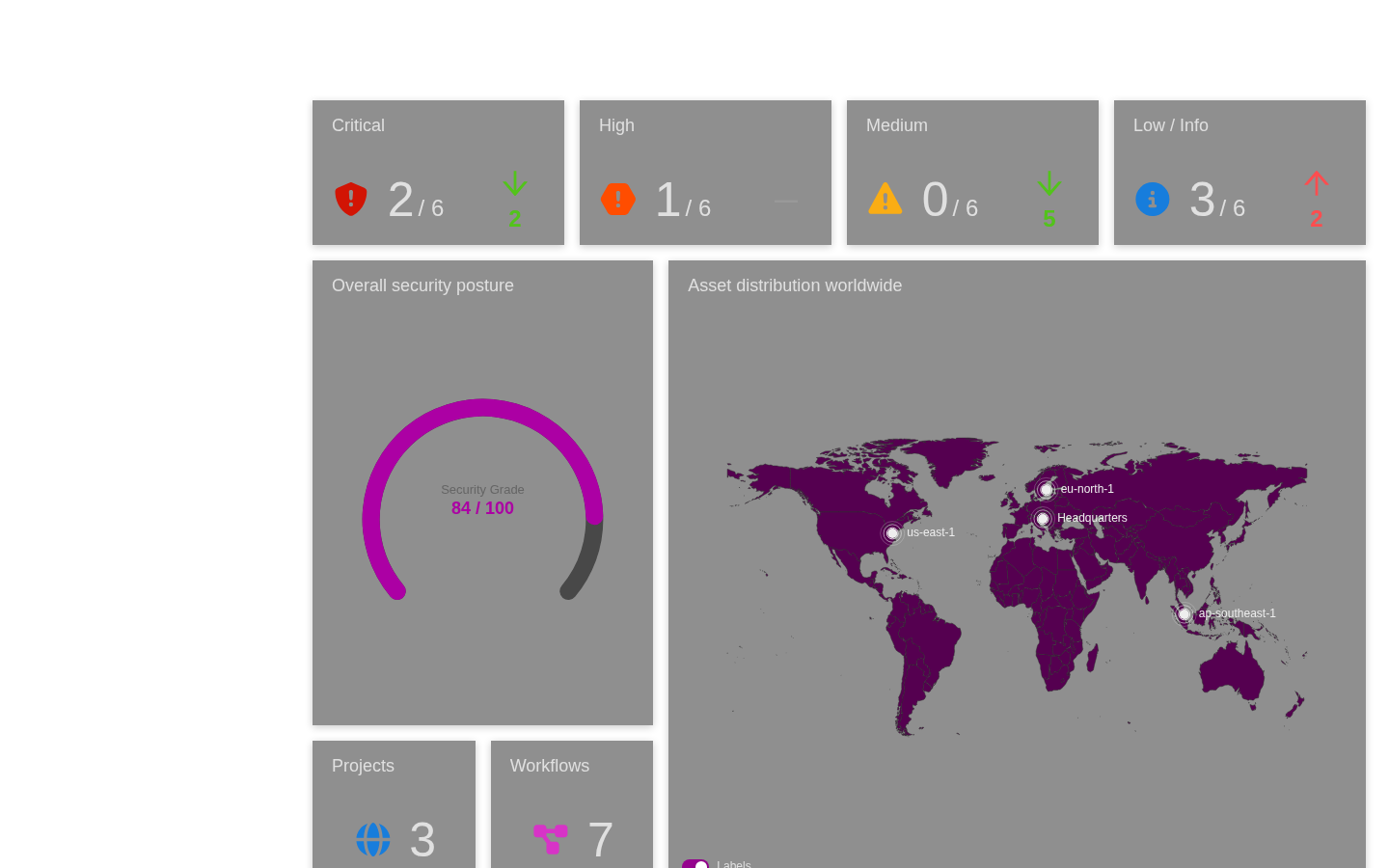
Interactive Demo — How Skono Works
Don't just get a list of vulnerabilities. Get a path to fixing them.
Platform at a Glance
Real outcomes, not just feature lists.
First Scan Results
- Connect an asset
- Pick a workflow
- Get findings
Onboarding Time
- Simple setup
- Connect your assets
- Start scanning
Remediation Steps Included
- AI-generated fix guidance
- Plain-language explanations
- Priority-ranked by risk
Security Domains Covered
- Web & API
- Cloud & Code
- Mobile & Binary
Security That Fits Your Organization
Whether you run an online store, build software or manage enterprise infrastructure — Skono gives you a clear picture of your security posture.
Online Stores & SMEs
Find out what attackers can see about your web shop or business — vulnerable plugins, leaked credentials, exposed data. No security expertise required.
Explore SME Solutions →Software Companies
Security built into your CI/CD — including custom code and plugins for online stores. Every commit scanned before production.
Explore Software Solutions →Enterprise
Continuous visibility across your entire estate, with reports for GDPR, NIS2, ISO 27001 and SOC 2 — not a once-a-year pen test report.
Explore Enterprise Solutions →Fits Into Your Workflow
Findings flow into the tools your team already uses.
Development Tools
GitHub, GitLab, Bitbucket and Jenkins. Block deployments that introduce critical issues.
Project Management
Findings become tickets in Jira, Linear, Asana or GitHub Issues.
Communication
Alerts in Slack, Microsoft Teams or Discord, sent to the right people.
Reporting & Compliance
One-click executive reports, mapped to ISO 27001, SOC 2 and GDPR.
Frequently Asked Questions
What is Skono?
Skono is an automated security testing platform. It scans websites, web applications, APIs, source code, cloud infrastructure, mobile apps and binaries, then uses AI to explain each finding and how to fix it.
What does the free scan include?
We scan the environment you choose, such as your website, web application or API, and walk you through the results: what was found, why it matters and what to fix first. There is no long-term commitment.
Do I need security expertise to use Skono?
No. Every finding comes with a plain-language explanation, and our digital assistant Tyrian AI walks you through the fix one step at a time: it first checks how your system is set up, then tells you exactly what to type or click. With autofix, Skono can apply the fix for you once you approve it.
Do I need to install anything?
No. Skono is web-based. You add your domain, create a project, and a guided wizard selects the right scans for you.
How do you make sure you only scan what I own?
We verify domain ownership before any scan runs. This protects both you and third parties from unauthorized testing.
Will scanning affect my live systems?
You decide what gets scanned and when. Scans run on the schedule you set, so you can run them outside business hours or against a staging environment first. We agree on scope with you before the first scan.
What can Skono scan?
Six security domains: your company's external attack surface, web applications and APIs, source code, cloud infrastructure, mobile applications, and binaries and firmware.
Can Skono scan my online store?
Yes. Skono tests web shops built on WooCommerce, PrestaShop, Magento, Shopify or custom code: the storefront and checkout, admin panel, plugins and themes, hosting, and credentials linked to your domain that appear in data leaks.
Does Skono help with GDPR?
GDPR Article 32 requires a process for regularly testing your security measures. Skono gives you that testing process and reports you can keep as evidence. It does not certify compliance on its own.
Is Skono available now?
Skono is in early beta, and we are onboarding a select group of customers. Book a free scan and we will give you an honest picture of what the platform can do today.
Your First Security Assessment Starts Here
You don't need to start with an expensive security program. You don't need weeks of preparation. Start with visibility. Run your first vulnerability scan and discover what security risks may be hiding in your environment. Then decide what needs to happen next.